7.4 Plot Customizations
Apart from mappings inside a mapping layer, you can customize AlgebraOfGraphics visualizations inside the visual transformation layers.
For example the linear statistical transformation plot from Section 7.3 can be customized both with the marker objects in the scatter plot but also with the line object in the linear trend plot. We can customize anything that the Makie.jl’s plotting types support inside visual:
blue = visual(Scatter; color=:steelblue, marker=:cross)
red = linear() *
    subvisual(:prediction; color=:red, linestyle=:dot, linewidth=5) *
    subvisual(:ci; color=(:red, 0.15))
plt = data(synthetic_df) * mapping(:x, :y) * (blue + red)
draw(plt)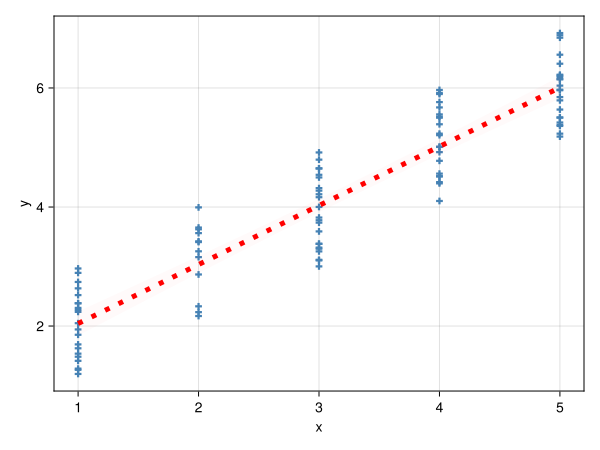
As you can see we are adding the following keyword arguments to visual(Scatter) transformation layer:
color: aSymbolfor a light blue color,:steelbluemarker: aSymbolfor a vertical cross marker type,:cross
The linear transformation creates two labeled layers: :prediction (the trend line) and :ci (the confidence band). We use subvisual to style each layer independently, applying attributes that are valid for each plot type:
:predictionline:color=:red,linestyle=:dot,linewidth=5:ciband:color=(:red, 0.15)(semi-transparent red)
You can use as many customizations as you want in your plot.
